

Best Microphones for Podcasting, Streaming & Broadcast Voice Recording (2026)
In This Guide
Dynamic vs Condenser · USB vs XLR · Best Broadcast Microphones · Best USB Podcast Microphones · Best Budget Podcast Microphones · Best Premium Podcast Microphones · Podcast, Streaming & Voice-over · Recording Setup · FAQ
Choosing the best microphone for podcasting, streaming, broadcasting or voice-over depends on more than sound quality alone. The right microphone should suit your voice, recording environment, connection type and production workflow, whether you’re recording a podcast at home, streaming online, producing voice-over content or working in a professional studio.
This guide compares broadcast, USB, budget and premium microphones while explaining the key differences between dynamic and condenser designs and USB and XLR connections. Explore options for podcasting, streaming, narration, interviews and spoken-word recording, with practical guidance for choosing a microphone and building a reliable recording setup.
Dynamic vs. Condenser Microphones for Voice
The first and most important choice you will make is between a dynamic and a condenser microphone. This decision has a greater impact on your final sound than almost any other factor, especially concerning your recording space.
Dynamic microphones are the workhorses of broadcast, podcasting, and live sound. They are less sensitive than condensers, which makes them incredibly effective at rejecting background noise like computer fans, keyboard clicks, and room echo. Condenser microphones are prized in studio environments for their detail and clarity, but that sensitivity can be a major drawback in untreated rooms.
Key Differences: Dynamic vs. Condenser
| Feature | Dynamic Microphones | Condenser Microphones |
|---|---|---|
| Best Environment | Untreated rooms, home studios, noisy environments. | Acoustically treated rooms, professional studios. |
| Sound Profile | Focused, rich, “broadcast” sound. Warm and forgiving. | Detailed, crisp, and articulate. Captures every nuance. |
| Background Noise | Excellent rejection of off-axis and ambient sound. | Picks up everything, including room reflections and distant noise. |
| Power Requirement | None (passive). | Requires 48V phantom power from an audio interface or mixer. |
| Durability | Extremely robust and durable. | More fragile due to their sensitive internal components. |
| Common Use Cases | Podcasting, streaming, radio broadcast, live vocals. | Studio voice-over, narration, sung vocals, acoustic instruments. |
When to Choose a Dynamic Microphone
Choose a dynamic microphone if you are recording spoken word in a typical home environment, such as a bedroom, office, or living room. Their ability to focus tightly on your voice while minimising room tone and background noise is their greatest strength. For the vast majority of podcasters and streamers, a dynamic microphone is the smarter choice, delivering a professional, controlled sound with minimal fuss.
When to Choose a Condenser Microphone
Choose a condenser microphone if you are recording in an acoustically treated space and require the highest level of detail. Professional voice actors often favour large-diaphragm condensers for their ability to capture the subtle nuances of a performance. However, if your room has hard, reflective surfaces and you can hear echo when you clap your hands, a condenser will amplify these problems and make your recording sound amateurish and distant.
USB vs. XLR: Which Connection is Right for You?
After deciding between dynamic and condenser, your next choice is the connection type. This determines the equipment you need and the overall flexibility of your setup.
- USB Microphones: These are all-in-one solutions that plug directly into your computer. They contain a built-in microphone capsule, preamp, and analogue-to-digital converter. They are the definition of “plug-and-play.”
- XLR Microphones: This is the professional standard. XLR microphones are purely analogue devices that require a separate audio interface or mixer. The interface handles pre-amplification, conversion, and connection to your computer.
- Hybrid USB/XLR Microphones: A growing category that offers both connection types, providing an easy starting point with a professional upgrade path.
Key Differences: USB vs. XLR
| Feature | USB Microphones | XLR Microphones |
|---|---|---|
| Ease of Use | Extremely simple. Plug directly into a USB port. | Requires a separate audio interface and XLR cable. |
| Equipment Needed | Just the microphone and a USB cable. | Microphone, XLR cable, audio interface, USB cable for interface. |
| Sound Quality | Good to excellent. Limited by built-in components. | Good to world-class. Quality depends on the microphone and interface. |
| Flexibility | Limited. Cannot easily upgrade individual components. | Highly flexible. Can upgrade mic, interface, or add processors independently. |
| Multi-Mic Setups | Difficult to manage. Often requires complex software workarounds. | Simple. Most interfaces support two or more microphones. |
| Best For | Beginners, solo creators, portability, simplicity. | Professionals, multi-person podcasts, future-proofing, maximum quality. |
Who Should Buy a USB Microphone?
USB microphones are perfect for solo podcasters, streamers, and anyone who values simplicity and a minimal footprint. If you want to get started quickly without a steep learning curve, a high-quality USB mic is an excellent choice. They are also ideal for online teaching, virtual meetings, and portable recording.
Who Should Buy an XLR Microphone?
Choose an XLR setup if you are serious about audio and want a system that can grow with you. An XLR microphone paired with a good audio interface provides superior control, better performance potential, and the ability to conduct multi-person interviews. It is the standard for professional broadcast and voice-over work.
Best Broadcast Microphones
Professional dynamic microphones designed for podcast studios, voice-over work, radio broadcasting, narration, and spoken-word recording where natural speech and excellent background rejection are priorities.
Shure SM7B
Industry-standard broadcast microphone delivering smooth, controlled speech with outstanding background noise rejection.


Electro-Voice RE20
Broadcast classic with Variable-D technology for consistent tone and minimal proximity effect.

Beyerdynamic M70 PRO X
Modern broadcast microphone offering warm, articulate speech and excellent off-axis rejection.

Heil PR 37
Large-diaphragm dynamic microphone delivering detailed, natural voice reproduction for professional spoken-word recording.

Best USB Podcast Microphones
Ideal for creators who want professional sound with minimal setup, whether recording podcasts, streaming, online lessons, or YouTube videos.
Shure MV7
Hybrid USB/XLR microphone inspired by the SM7B with excellent speech clarity and simple plug-and-play operation.

RØDE PodMic USB
Versatile USB/XLR microphone combining broadcast-quality speech with flexible connectivity.

Sennheiser Profile USB
Compact USB microphone delivering clear, natural voice recording for podcasts, streaming, and online content creation.

Best Budget Podcast Microphones
Affordable microphones offering excellent speech quality for beginners, home studios, and creators building their first podcast setup.
RØDE PodMic
Excellent-value XLR broadcast microphone with focused vocal sound and durable all-metal construction.

TASCAM TM-70
Broadcast-style microphone designed for podcasting, meetings, streaming, and spoken-word recording.

PreSonus PD-70
Broadcast microphone engineered to reduce background noise while maintaining clear, natural speech.

TASCAM TM-82
Versatile cardioid dynamic microphone suitable for podcasts, vocals, streaming, and home studio recording.

Best Premium Podcast Microphones
Premium microphones built for professional studios, commercial podcast production, broadcasting, and high-end voice recording.
Electro-Voice RE20
Reference-quality broadcast microphone trusted by radio stations and recording studios worldwide.
Shure SM7B
One of the most respected microphones for podcasting, voice-over, streaming, and broadcast production.
Beyerdynamic M70 PRO X
Premium broadcast microphone delivering rich, focused speech with exceptional clarity.
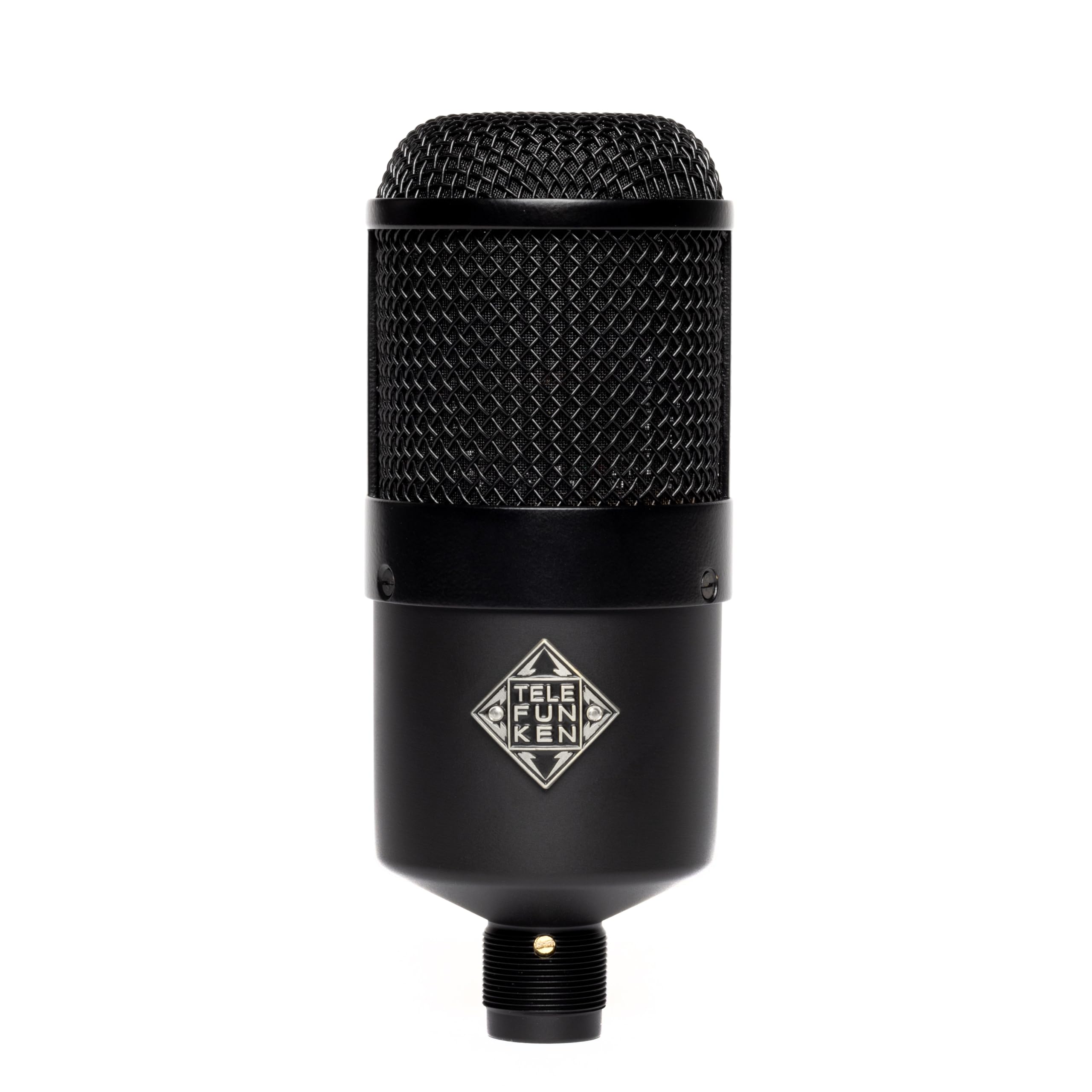
Telefunken M82
Large-diaphragm dynamic microphone producing full-bodied broadcast sound with excellent tonal control.
Podcast, Streaming & Voice-over
While many microphones are versatile, some are uniquely suited to specific tasks. Here are our recommendations tailored to your primary activity.
Best Microphones for Streaming
Streamers need a microphone that delivers clear audio, rejects keyboard and fan noise, and integrates well with their software setup.
- Shure MV7: The perfect all-rounder. Use it via USB for simplicity and software control, and its dynamic capsule will ignore your mechanical keyboard.
- Elgato Wave:3: The software is the star. If you’re constantly managing game audio, music, and Discord, Wave Link is an indispensable tool.
- RØDE PodMic USB: A fantastic dynamic option with the convenience of USB-C. It provides that tight, broadcast sound that helps your voice stand out in a busy stream.
Best Microphones for Voice-Over & Narration
Voice-over requires clarity, low self-noise, and an accurate representation of the voice. The recording environment is paramount here.
- RØDE NT1: In a treated room, the NT1 is a king. It’s known for its incredibly low self-noise and a very neutral, detailed sound profile, making it a favourite for audiobook narration and commercial voice-over. (Requires an XLR setup).
- Electro-Voice RE20: If your space isn’t perfectly treated, the RE20 is a superb choice. It delivers condenser-like detail for a dynamic mic while rejecting room tone, and its lack of proximity effect allows for natural, consistent delivery.
- RØDE NT-USB+: For those wanting a simple USB solution for voice-over, the NT-USB+ provides studio-quality condenser detail and a very low noise floor. Ensure your room is quiet.
Best Microphones for YouTube
YouTube creators need versatility. The microphone might be used for voice-overs one day and on-camera streaming the next.
- Shure MV7: Its combination of great looks, excellent sound, and hybrid connectivity makes it ideal for YouTubers who have diverse production needs.
- RØDE PodMic USB: A fantastic choice for on-camera work. Its compact, robust build and clear, punchy sound look and feel professional on a boom arm.
- Audio-Technica AT2020: A long-standing budget condenser favourite. If you have a quiet room and want a more “open” sound for your voice-overs, the XLR or USB version of the AT2020 offers great value.
Best Budget Microphones (Under £150)
You don’t need to spend a fortune to get professional-sounding audio, especially if you choose a dynamic microphone.
- RØDE PodMic (XLR): The undisputed value king. For around £100, you get a broadcast-grade dynamic microphone. The only catch is you still need an audio interface.
- PreSonus PD-70: A direct competitor to the PodMic, the PD-70 offers a very similar broadcast sound and rugged build quality at a competitive price. It’s an excellent starting point for an XLR setup.
- TASCAM TM-70: Another affordable dynamic broadcast mic designed to deliver a clear vocal sound while rejecting room noise. It’s a solid, no-frills option for new podcasters.
Beyond the Microphone: Building Your Vocal Recording Setup
A great microphone is only one part of the equation. To get the best results, you need to support it with the right accessories and techniques.
Audio Interfaces
If you choose an XLR microphone, an audio interface is non-negotiable. This device converts your microphone’s analogue signal to digital, provides power (phantom power for condensers), and allows you to control gain levels. For solo podcasting, a simple two-channel interface like the Focusrite Scarlett 2i2 or MOTU M2 is an excellent choice. When choosing, pay attention to the “Equivalent Input Noise” (EIN) and “Gain Range” specifications. A low EIN means less hiss at high gain levels, which is crucial for mics like the Shure SM7B.
Boom Arms and Shock Mounts
Never place your microphone directly on your desk. A boom arm allows you to position the microphone perfectly in front of your mouth while keeping it isolated from keyboard vibrations and desk bumps. A shock mount suspends the microphone in an elastic cradle, providing further isolation from handling noise and vibrations travelling up the mic stand. Some mics, like the M70 PRO X, include one.
Pop Filters
A pop filter is essential for controlling plosives—the bursts of air created by ‘P’ and ‘B’ sounds that can overload the microphone’s capsule. There are two main types: mesh fabric filters and perforated metal shields. Both work well. Many broadcast dynamic mics like the SM7B and PodMic have effective internal pop filtering, but an external filter is still recommended for close-miking techniques.
Headphones for Monitoring
You must monitor your recording with closed-back headphones. This allows you to hear exactly what the microphone is capturing in real-time, without the sound from the headphones bleeding back into the microphone. Monitoring helps you catch issues like plosives, background noise, or incorrect mic positioning as they happen.
Acoustic Treatment
You don’t need a professional vocal booth, but controlling room reflections is vital, especially when using a condenser microphone. Even simple acoustic panels placed at the reflection points on the walls beside and behind you can make a huge difference. For dynamic mics, the effect is less critical, but taming a very echoey room will always improve your sound.
Frequently Asked Questions (FAQ)
What microphone do most podcasters use?The Shure SM7B is overwhelmingly the most recognised microphone in professional podcasting. However, for a huge number of independent and home-based podcasters, the Shure MV7, RØDE PodMic, and RØDE Procaster are extremely popular due to their excellent performance-to-price ratio.
Should I buy a USB or XLR microphone?Choose USB if your priorities are simplicity, portability, and a minimal budget. It’s the perfect starting point for a solo creator. Choose XLR if you prioritise sound quality, flexibility, and want a system that can expand for multiple hosts or guests. An XLR setup is a long-term investment in your audio quality.
Do I need an audio interface for podcasting?
You only need an audio interface if you are using an XLR microphone. USB microphones have a similar device built-in. If you plan to have a co-host in the same room or want the highest possible quality, an audio interface and XLR microphones are the way to go.
What microphone do most YouTubers and streamers use?The landscape is diverse, but the Shure MV7 has become a favourite for its aesthetic and hybrid functionality. The Elgato Wave:3 is also extremely popular in the streaming community for its powerful Wave Link software. High-end streamers and YouTubers often use the Shure SM7B or Electro-Voice RE20, the same as professional broadcasters.
Can I podcast or stream without acoustic treatment?Yes, absolutely—if you choose the right microphone. A dynamic microphone like a Shure MV7, RØDE PodMic, or PreSonus PD-70 is specifically designed to perform well in untreated rooms by rejecting much of the ambient sound and echo. Trying to use a sensitive condenser microphone in the same space will yield poor, echoey results.
Is a condenser microphone better for voice?Not necessarily. A condenser microphone is more *detailed*, but “better” is subjective and depends entirely on the context. In a professionally treated vocal booth, a high-quality condenser like a RØDE NT1 or Neumann TLM 102 will capture a stunningly clear vocal. In a noisy, untreated bedroom, a dynamic microphone will sound far more professional and controlled.
Should a beginner buy a Shure SM7B?Generally, no. The Shure SM7B is a professional tool that comes with hidden costs. To make it sound good, you need to pair it with an audio interface that has a very powerful and clean preamp (e.g., a Universal Audio Apollo or MOTU M-series) or buy an additional signal booster like a Cloudlifter or FetHead. A beginner would be much better served by a Shure MV7 or RØDE PodMic USB, which provide a similar broadcast character without the demanding gain requirements and high cost.
How much should I spend on a podcasting microphone?You can get excellent results with a budget-friendly XLR dynamic microphone like the RØDE PodMic (around £100), but you must also budget for an audio interface (another £100-£150). For a high-quality, all-in-one USB solution, expect to spend between £130-£250 for models like the RØDE NT-USB+ or Shure MV7. Spending more on a microphone like an SM7B or RE20 (£350-£450) only makes sense if you have an equally capable audio interface and a good recording environment.
Related Microphone & Recording Guides
Looking to build a complete recording setup? Explore these dedicated Voice Shop guides: